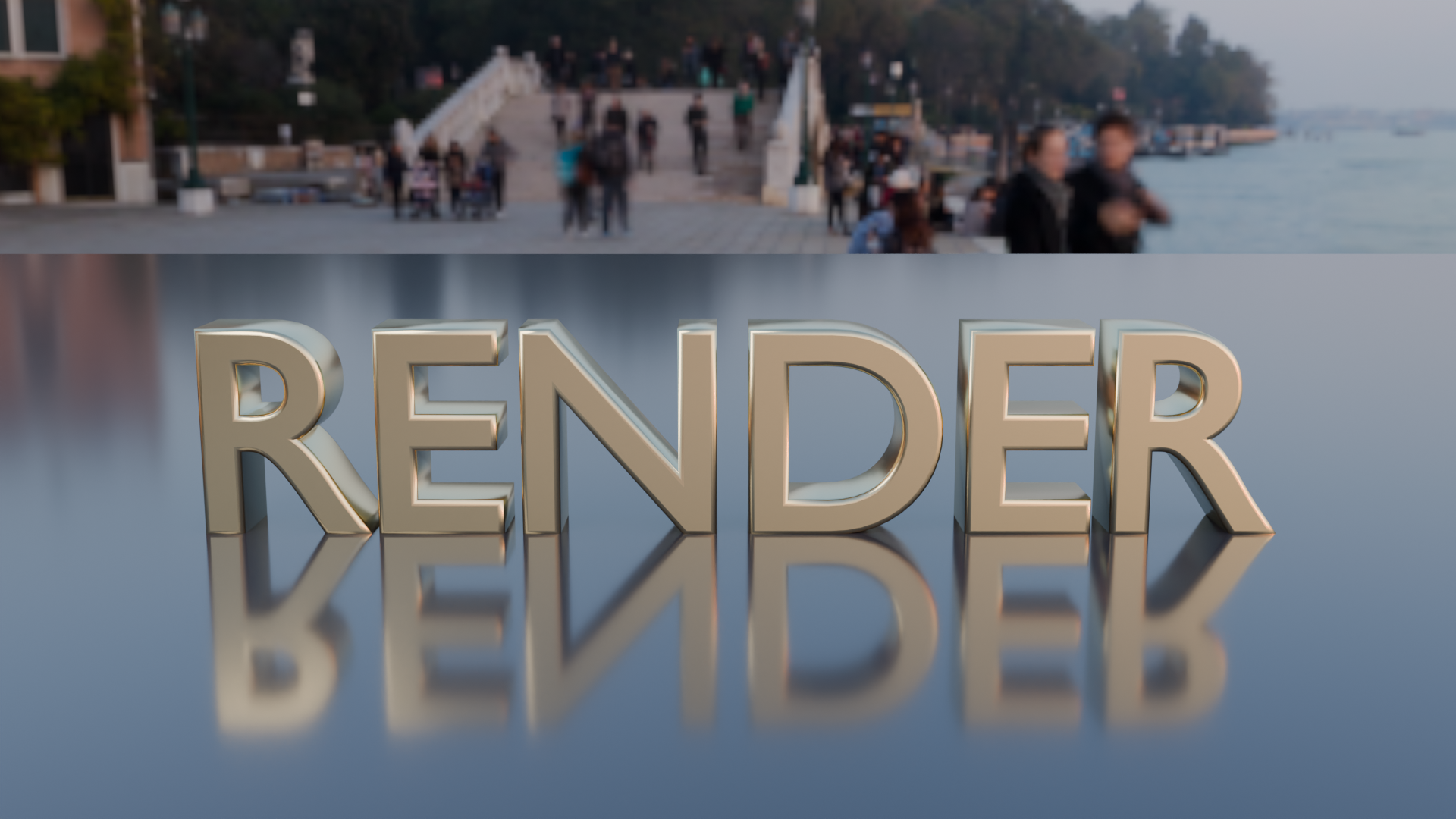
Extruded metal logo text at sunset. A real render from the production GPU, the bpy script that produced it, the settings and the GPU seconds. Pass the script's URL as scene_url to get the same result.
| Prompt | Render https://render.janction.jp/samples/ex03_logo_metal_text.py at 1920x1080, 128 samples, sunset preset. |
|---|---|
| MCP call | render_final(scene_url="https://render.janction.jp/samples/ex03_logo_metal_text.py", frame_start=1, frame_end=1, samples=128, output="png", width=1920, height=1080, environment="sunset") |
| GPU s / round trip | 6.2 s / 7 s |
| Price at the planned rate | 0.6 JPY (charged 0 during the beta) |
| Rendered on | 2026-10-07 |
| Blender | 5.0 |
| frame_start | 1 |
|---|---|
| frame_end | 1 |
| samples | 128 |
| denoise | True |
| output | png |
| width | 1920 |
| height | 1080 |
| environment | sunset |
ex03_logo_metal_text.py. It builds the scene, the camera and the frame range; resolution, samples, denoising and the GPU are set by the service.
"""JANCTION Render example 03: extruded metal logo text on a glossy floor under the sunset preset (one still).

Reproduce: render_final(scene_url="https://render.janction.jp/samples/ex03_logo_metal_text.py",
                        width=1920, height=1080, samples=128, environment="sunset")
Change the word in TEXT to make your own.
"""
import math

import bpy
from mathutils import Vector

TEXT = "RENDER"

for ob in list(bpy.data.objects):
    bpy.data.objects.remove(ob, do_unlink=True)
scene = bpy.context.scene
scene.frame_start = 1
scene.frame_end = 1


def material(name, color, roughness=0.5, metallic=0.0, **inputs):
    mat = bpy.data.materials.new(name)
    mat.use_nodes = True
    bsdf = mat.node_tree.nodes["Principled BSDF"]
    bsdf.inputs["Base Color"].default_value = (*color, 1.0)
    bsdf.inputs["Roughness"].default_value = roughness
    bsdf.inputs["Metallic"].default_value = metallic
    for key, value in inputs.items():
        bsdf.inputs[key].default_value = value
    return mat


def add(op, name, mat=None, **kw):
    getattr(bpy.ops.mesh, op)(**kw)
    ob = bpy.context.object
    ob.name = name
    if mat is not None:
        ob.data.materials.append(mat)
    return ob


def look_at(ob, target):
    ob.rotation_euler = (Vector(target) - ob.location).to_track_quat("-Z", "Y").to_euler()


def camera(location, target, lens=50.0):
    data = bpy.data.cameras.new("Camera")
    data.lens = lens
    cam = bpy.data.objects.new("Camera", data)
    scene.collection.objects.link(cam)
    cam.location = location
    look_at(cam, target)
    scene.camera = cam
    return cam


def light(name, kind, location, energy, target=None, size=1.0, color=(1.0, 1.0, 1.0)):
    data = bpy.data.lights.new(name, kind)
    data.energy = energy
    data.color = color
    if kind == "AREA":
        data.size = size
    ob = bpy.data.objects.new(name, data)
    scene.collection.objects.link(ob)
    ob.location = location
    if target is not None:
        look_at(ob, target)
    return ob


gold = material("Gold", (0.92, 0.76, 0.42), roughness=0.22, metallic=1.0)
dark = material("Floor", (0.04, 0.04, 0.05), roughness=0.12)

add("primitive_plane_add", "Floor", dark, size=40)
font = bpy.data.curves.new("Logo", "FONT")
font.body = TEXT
font.size = 1.7
font.extrude = 0.22
font.bevel_depth = 0.035
font.bevel_resolution = 4
font.align_x = "CENTER"
font.materials.append(gold)
logo = bpy.data.objects.new("Logo", font)
scene.collection.objects.link(logo)
logo.rotation_euler = (math.pi / 2, 0, 0)
logo.location = (0, 0, 0.02)

light("Fill", "AREA", (-4.0, -4.0, 4.0), 200, target=(0, 0, 0.6), size=3.0, color=(1.0, 0.9, 0.8))
camera((0.0, -9.5, 2.4), (0.0, 0.0, 0.7), lens=40)
JANCTION Render v0.4.20 · JasmyLab Inc. · Updated 2026-10-07 · Tested with Blender 5.0, JANCTION Render 0.4.20 · 日本語