Real renders from JANCTION Render, each with the prompt, the input, the settings, GPU seconds, the price at the planned rate and the result. Numbers are the same production records as the benchmarks (2026-09-30 to 2026-10-01 UTC, NVIDIA RTX PRO 6000 Blackwell Max-Q Workstation Edition (96 GB)); prices use the planned 0.1 JPY per GPU-second (0 during the beta). Copy the prompt of any example as-is. More results, published by users, are in the gallery.
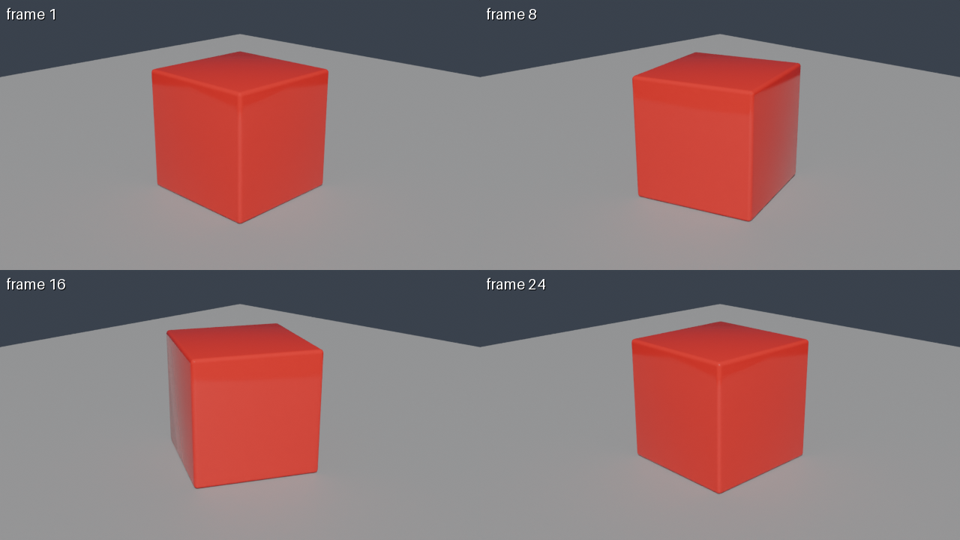
Example 1: preview, bpy script (rotating cube)
Prompt
Using JANCTION Render, build a glossy red cube rotating on a grey floor and show me a 4-frame preview.
Input
bpy script (rotating cube)
Settings
4 of 24 (tiled) frames, 640x360 tiles, 16 spp, scene lights
Render the final 48 frames at 1080p with 128 samples.
Input
bpy script (rotating cube)
Settings
48 frames, 1920x1080, 128 spp, scene lights
GPU s / round trip
322.3 s / 335 s
Price at the planned rate
32.2 JPY (charged 0 during the beta)
Result
output.mp4
Client
Claude Code (stdio MCP)
Example 5: preview, bpy script (monkey + floor)
Prompt
Show me one preview frame at 960x540.
Input
bpy script (monkey + floor)
Settings
1 frames, 960x540, 16 spp, scene lights
GPU s / round trip
2.4 s / 6 s
Price at the planned rate
0.2 JPY (charged 0 during the beta)
Result
frame_0001.png
Client
Claude.ai
Example 6: preview, glTF file (hand-written pyramid) + assets
Prompt
POST /v1/files pyramid.gltf, then POST /v1/jobs {kind: preview, environment: studio, environment_visible: false}
Input
glTF file (hand-written pyramid) + assets
Settings
1 frames, 640x360, 8 spp, studio (backdrop hidden)
GPU s / round trip
1.8 s / 7 s
Price at the planned rate
0.2 JPY (charged 0 during the beta)
Result
frame_0001.png
Client
HTTP API
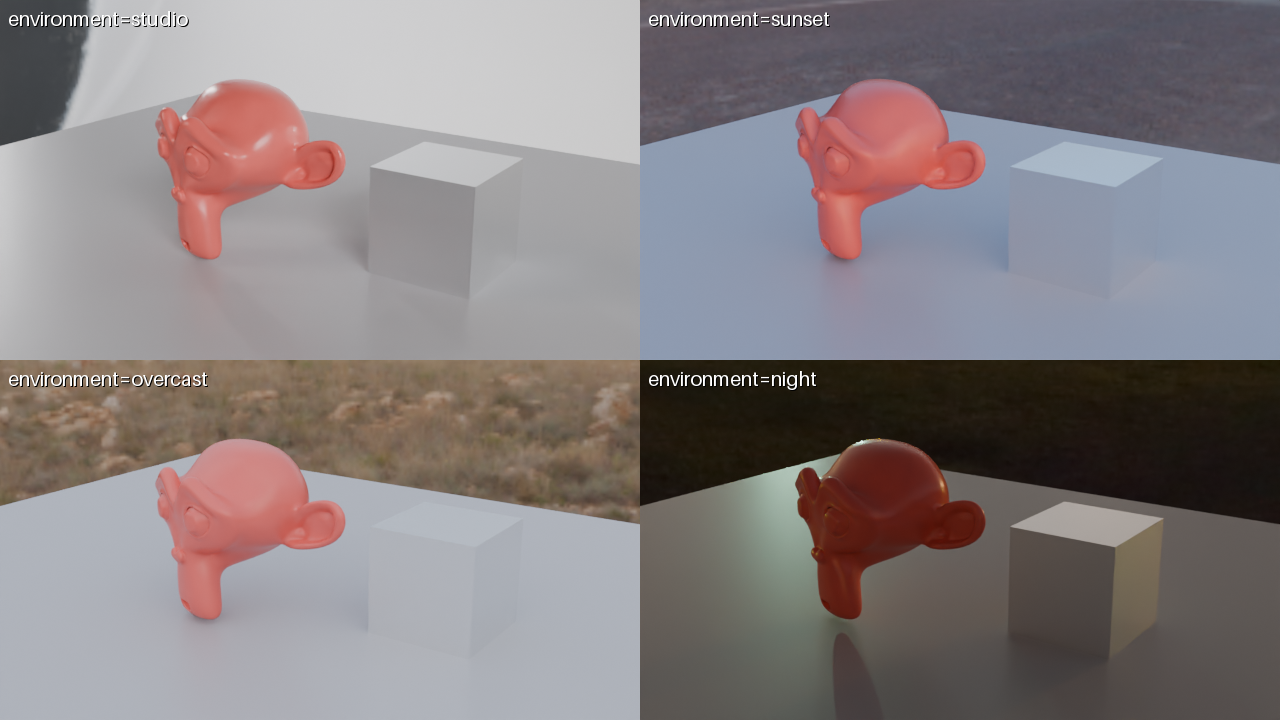
Environment presets side by side (environment=compare)
One bpy scene (a monkey head and a metal cube) under the four presets in one image: one preview to pick the lighting.
Turntable (orbit=true)
48 frames, 960x540, 24 samples, studio preset: 76 GPU seconds.
Inputs to reproduce
cube_scene.py (rotating cube) and polyhaven_room.py (a room from CC0 assets). An agent's first call can be render_preview(scene_url="https://render.janction.jp/samples/cube_scene.py").
JANCTION Render v0.4.17 · JasmyLab Inc. · Updated 2026-10-05 · Tested with Blender 5.0, JANCTION Render 0.4.17 · 日本語