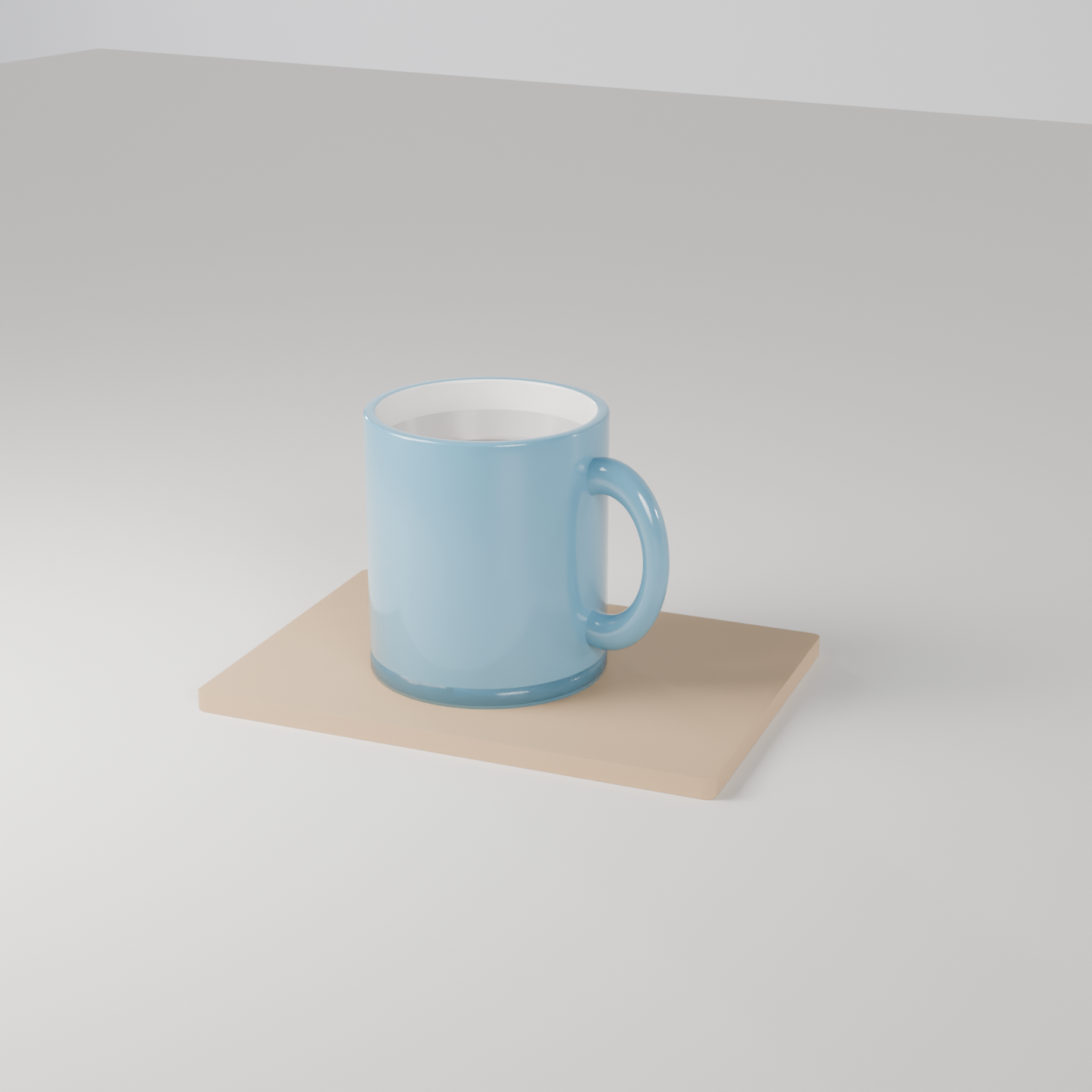
Product shot: a ceramic coffee mug on a wooden board. A real render from the production GPU, the bpy script that produced it, the settings and the GPU seconds. Pass the script's URL as scene_url to get the same result.
| Prompt | Render https://render.janction.jp/samples/ex26_ceramic_mug.py as a 1440x1440 still, 128 samples, studio preset (edit GLAZE for another colour). |
|---|---|
| MCP call | render_final(scene_url="https://render.janction.jp/samples/ex26_ceramic_mug.py", frame_start=1, frame_end=1, samples=128, output="png", width=1440, height=1440, environment="studio") |
| GPU s / round trip | 4.2 s / 5 s |
| Price at 0.1 JPY per GPU-second | 0.4 JPY (0 while the free time covers it) |
| Rendered on | 2026-10-24 |
| Blender | 5.0 |
ChatGPT · Claude · Grok · Perplexity
Use JANCTION Render (MCP server https://render.janction.jp/mcp) to render this example: render_preview(scene_url="https://render.janction.jp/samples/ex26_ceramic_mug.py"). Then suggest how to change the colors, shapes and camera for my own subject. Ask me before the final render.
Each link opens the app with the text below filled in (if it is not, copy and paste it). If JANCTION Render is not connected in that app yet, add https://render.janction.jp/mcp as a connector first.
| frame_start | 1 |
|---|---|
| frame_end | 1 |
| samples | 128 |
| denoise | True |
| output | png |
| width | 1440 |
| height | 1440 |
| environment | studio |
ex26_ceramic_mug.py. It builds the scene, the camera and the frame range; resolution, samples, denoising and the GPU are set by the service.
"""JANCTION Render example 26: a ceramic coffee mug on a wooden board, product-shot lighting (one still).

Reproduce: render_final(scene_url="https://render.janction.jp/samples/ex26_ceramic_mug.py",
                        width=1440, height=1440, samples=128, environment="studio")
The mug is an open cylinder with a Solidify modifier, a torus for the handle and a dark disc for the coffee;
glossy ceramic (roughness 0.15). Change GLAZE for another colour, or replace the board with your own surface.
"""
import math

import bpy
import jr_assets

for ob in list(bpy.data.objects):
    bpy.data.objects.remove(ob, do_unlink=True)
scene = bpy.context.scene
scene.frame_start = 1
scene.frame_end = 1
GLAZE = (0.12, 0.32, 0.45)          # 釉薬の色(深い青)


def material(name, color, roughness=0.5, metallic=0.0, coat=0.0):
    mat = bpy.data.materials.new(name)
    bsdf = mat.node_tree.nodes["Principled BSDF"]
    bsdf.inputs["Base Color"].default_value = (*color, 1.0)
    bsdf.inputs["Roughness"].default_value = roughness
    bsdf.inputs["Metallic"].default_value = metallic
    bsdf.inputs["Coat Weight"].default_value = coat
    return mat


ceramic = material("Ceramic", GLAZE, roughness=0.15, coat=0.6)
inside = material("CeramicInside", (0.92, 0.9, 0.86), roughness=0.2)
coffee = material("Coffee", (0.09, 0.045, 0.02), roughness=0.05, coat=1.0)
board_mat = material("Board", (0.55, 0.36, 0.2), roughness=0.55)
floor_mat = material("Floor", (0.86, 0.84, 0.8), roughness=0.5)

# マグ: 口の開いた筒(外側は釉薬、内側は白)+底
bpy.ops.mesh.primitive_cylinder_add(vertices=96, radius=0.45, depth=1.0, end_fill_type="NOTHING", location=(0, 0, 0.58))
mug = bpy.context.active_object
mug.name = "Mug"
solid = mug.modifiers.new("Solidify", "SOLIDIFY")
solid.thickness = 0.05
solid.material_offset = 1                  # 内側の面は 2 番目の材質(白)
mug.data.materials.append(ceramic)
mug.data.materials.append(inside)
bev = mug.modifiers.new("Bevel", "BEVEL")
bev.width = 0.012
bev.segments = 3
bpy.ops.object.shade_smooth()
bpy.ops.mesh.primitive_cylinder_add(vertices=96, radius=0.45, depth=0.08, location=(0, 0, 0.12))
bottom = bpy.context.active_object
bottom.name = "MugBottom"
bottom.data.materials.append(ceramic)
bpy.ops.object.shade_smooth()

# 取っ手: トーラスを立てて筒の横に
bpy.ops.mesh.primitive_torus_add(major_radius=0.24, minor_radius=0.055, major_segments=64, minor_segments=24,
                                 location=(0.5, 0, 0.6), rotation=(math.radians(90), 0, 0))
handle = bpy.context.active_object
handle.name = "Handle"
handle.scale = (0.85, 1.25, 1.0)
handle.data.materials.append(ceramic)
bpy.ops.object.shade_smooth()

# コーヒー: 縁の少し下の円盤
bpy.ops.mesh.primitive_cylinder_add(vertices=96, radius=0.41, depth=0.02, location=(0, 0, 0.95))
drink = bpy.context.active_object
drink.name = "Coffee"
drink.data.materials.append(coffee)
bpy.ops.object.shade_smooth()

# 木の板と床
bpy.ops.mesh.primitive_cube_add(size=1, location=(0.1, 0.05, 0.04))
board = bpy.context.active_object
board.name = "Board"
board.scale = (2.0, 1.4, 0.08)
board.rotation_euler = (0, 0, math.radians(8))
board.data.materials.append(board_mat)
bb = board.modifiers.new("Bevel", "BEVEL")
bb.width = 0.02
bb.segments = 3
bpy.ops.mesh.primitive_plane_add(size=30, location=(0, 0, 0))
floor = bpy.context.active_object
floor.data.materials.append(floor_mat)

bpy.ops.object.light_add(type="AREA", location=(-2.2, -2.0, 3.0))
key = bpy.context.active_object
key.data.energy = 400
key.data.size = 2.5
key.rotation_euler = (math.radians(40), math.radians(-35), 0)

bpy.ops.object.camera_add(location=(2.2, -3.4, 2.0))
cam = bpy.context.active_object
cam.data.lens = 70
scene.camera = cam
jr_assets.frame_camera(margin=1.35, objects=[mug, handle])   # マグに寄せる(板は端で切れてよい)
JANCTION Render v0.4.209 · JasmyLab Inc. · Updated 2026-10-26 · Tested with Blender 3.6 / 4.2 / 4.5 / 5.0 / 5.2, JANCTION Render 0.4.209 · 日本語