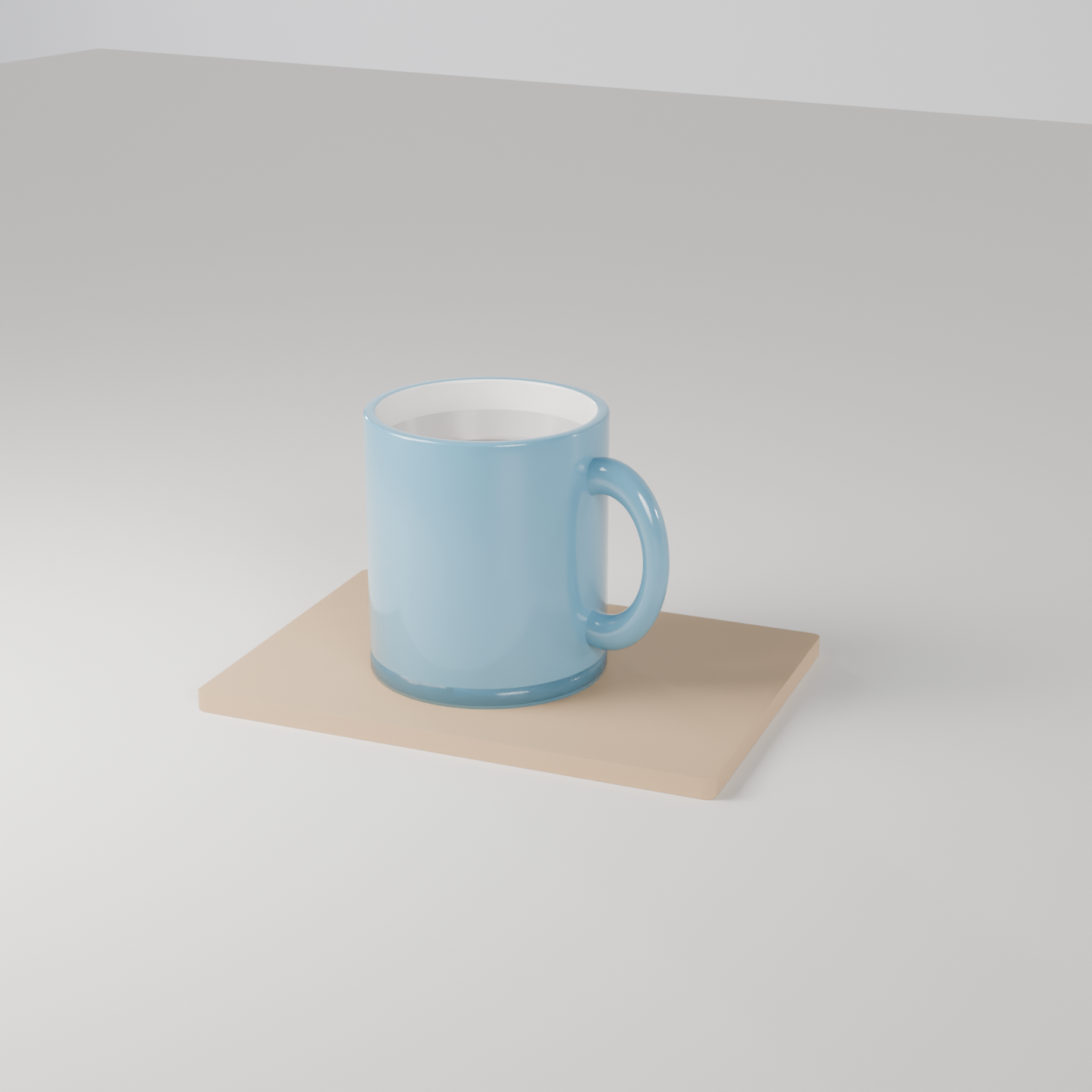
製品写真: 木の板にのった陶器のマグカップ。本番の GPU で描いた本物の結果と、そのまま動く bpy スクリプト、設定、GPU 秒。スクリプトの URL を scene_url に渡せば同じものが出ます。
| 頼んだ文 | https://render.janction.jp/samples/ex26_ceramic_mug.py を studio プリセット、1440x1440、128 サンプルで描いて(GLAZE を変えれば別の色に)。 |
|---|---|
| MCP の呼び出し | render_final(scene_url="https://render.janction.jp/samples/ex26_ceramic_mug.py", frame_start=1, frame_end=1, samples=128, output="png", width=1440, height=1440, environment="studio") |
| GPU 秒 / 往復 | 4.2 s / 5 s |
| 料金の目安(0.1 円/GPU 秒) | 0.4 JPY (無料の残りの中なら 0 円) |
| 描いた日 | 2026-10-24 |
| Blender | 5.0 |
ChatGPT · Claude · Grok · Perplexity
JANCTION Render(MCP サーバー https://render.janction.jp/mcp)で、この作例を描いて: render_preview(scene_url="https://render.janction.jp/samples/ex26_ceramic_mug.py")。そのあと、私の題材に合わせて色・形・カメラを変える案を出して。仕上げの前に確認して。
リンクを押すと、下の文が入った状態でそのアプリが開きます(入らないときは写して貼ってください)。そのアプリに JANCTION Render をまだつないでいなければ、先にコネクタとして https://render.janction.jp/mcp を足してください。
| frame_start | 1 |
|---|---|
| frame_end | 1 |
| samples | 128 |
| denoise | True |
| output | png |
| width | 1440 |
| height | 1440 |
| environment | studio |
ex26_ceramic_mug.py。シーン・カメラ・コマ範囲だけを組み、解像度・サンプル・ノイズ除去・GPU はサービスが決めます。
"""JANCTION Render example 26: a ceramic coffee mug on a wooden board, product-shot lighting (one still).

Reproduce: render_final(scene_url="https://render.janction.jp/samples/ex26_ceramic_mug.py",
                        width=1440, height=1440, samples=128, environment="studio")
The mug is an open cylinder with a Solidify modifier, a torus for the handle and a dark disc for the coffee;
glossy ceramic (roughness 0.15). Change GLAZE for another colour, or replace the board with your own surface.
"""
import math

import bpy
import jr_assets

for ob in list(bpy.data.objects):
    bpy.data.objects.remove(ob, do_unlink=True)
scene = bpy.context.scene
scene.frame_start = 1
scene.frame_end = 1
GLAZE = (0.12, 0.32, 0.45)          # 釉薬の色(深い青)


def material(name, color, roughness=0.5, metallic=0.0, coat=0.0):
    mat = bpy.data.materials.new(name)
    bsdf = mat.node_tree.nodes["Principled BSDF"]
    bsdf.inputs["Base Color"].default_value = (*color, 1.0)
    bsdf.inputs["Roughness"].default_value = roughness
    bsdf.inputs["Metallic"].default_value = metallic
    bsdf.inputs["Coat Weight"].default_value = coat
    return mat


ceramic = material("Ceramic", GLAZE, roughness=0.15, coat=0.6)
inside = material("CeramicInside", (0.92, 0.9, 0.86), roughness=0.2)
coffee = material("Coffee", (0.09, 0.045, 0.02), roughness=0.05, coat=1.0)
board_mat = material("Board", (0.55, 0.36, 0.2), roughness=0.55)
floor_mat = material("Floor", (0.86, 0.84, 0.8), roughness=0.5)

# マグ: 口の開いた筒(外側は釉薬、内側は白)+底
bpy.ops.mesh.primitive_cylinder_add(vertices=96, radius=0.45, depth=1.0, end_fill_type="NOTHING", location=(0, 0, 0.58))
mug = bpy.context.active_object
mug.name = "Mug"
solid = mug.modifiers.new("Solidify", "SOLIDIFY")
solid.thickness = 0.05
solid.material_offset = 1                  # 内側の面は 2 番目の材質(白)
mug.data.materials.append(ceramic)
mug.data.materials.append(inside)
bev = mug.modifiers.new("Bevel", "BEVEL")
bev.width = 0.012
bev.segments = 3
bpy.ops.object.shade_smooth()
bpy.ops.mesh.primitive_cylinder_add(vertices=96, radius=0.45, depth=0.08, location=(0, 0, 0.12))
bottom = bpy.context.active_object
bottom.name = "MugBottom"
bottom.data.materials.append(ceramic)
bpy.ops.object.shade_smooth()

# 取っ手: トーラスを立てて筒の横に
bpy.ops.mesh.primitive_torus_add(major_radius=0.24, minor_radius=0.055, major_segments=64, minor_segments=24,
                                 location=(0.5, 0, 0.6), rotation=(math.radians(90), 0, 0))
handle = bpy.context.active_object
handle.name = "Handle"
handle.scale = (0.85, 1.25, 1.0)
handle.data.materials.append(ceramic)
bpy.ops.object.shade_smooth()

# コーヒー: 縁の少し下の円盤
bpy.ops.mesh.primitive_cylinder_add(vertices=96, radius=0.41, depth=0.02, location=(0, 0, 0.95))
drink = bpy.context.active_object
drink.name = "Coffee"
drink.data.materials.append(coffee)
bpy.ops.object.shade_smooth()

# 木の板と床
bpy.ops.mesh.primitive_cube_add(size=1, location=(0.1, 0.05, 0.04))
board = bpy.context.active_object
board.name = "Board"
board.scale = (2.0, 1.4, 0.08)
board.rotation_euler = (0, 0, math.radians(8))
board.data.materials.append(board_mat)
bb = board.modifiers.new("Bevel", "BEVEL")
bb.width = 0.02
bb.segments = 3
bpy.ops.mesh.primitive_plane_add(size=30, location=(0, 0, 0))
floor = bpy.context.active_object
floor.data.materials.append(floor_mat)

bpy.ops.object.light_add(type="AREA", location=(-2.2, -2.0, 3.0))
key = bpy.context.active_object
key.data.energy = 400
key.data.size = 2.5
key.rotation_euler = (math.radians(40), math.radians(-35), 0)

bpy.ops.object.camera_add(location=(2.2, -3.4, 2.0))
cam = bpy.context.active_object
cam.data.lens = 70
scene.camera = cam
jr_assets.frame_camera(margin=1.35, objects=[mug, handle])   # マグに寄せる(板は端で切れてよい)
JANCTION Render v0.4.209 · JasmyLab Inc. · 更新 2026-10-26 · 検証 Blender 3.6 / 4.2 / 4.5 / 5.0 / 5.2, JANCTION Render 0.4.209 · English