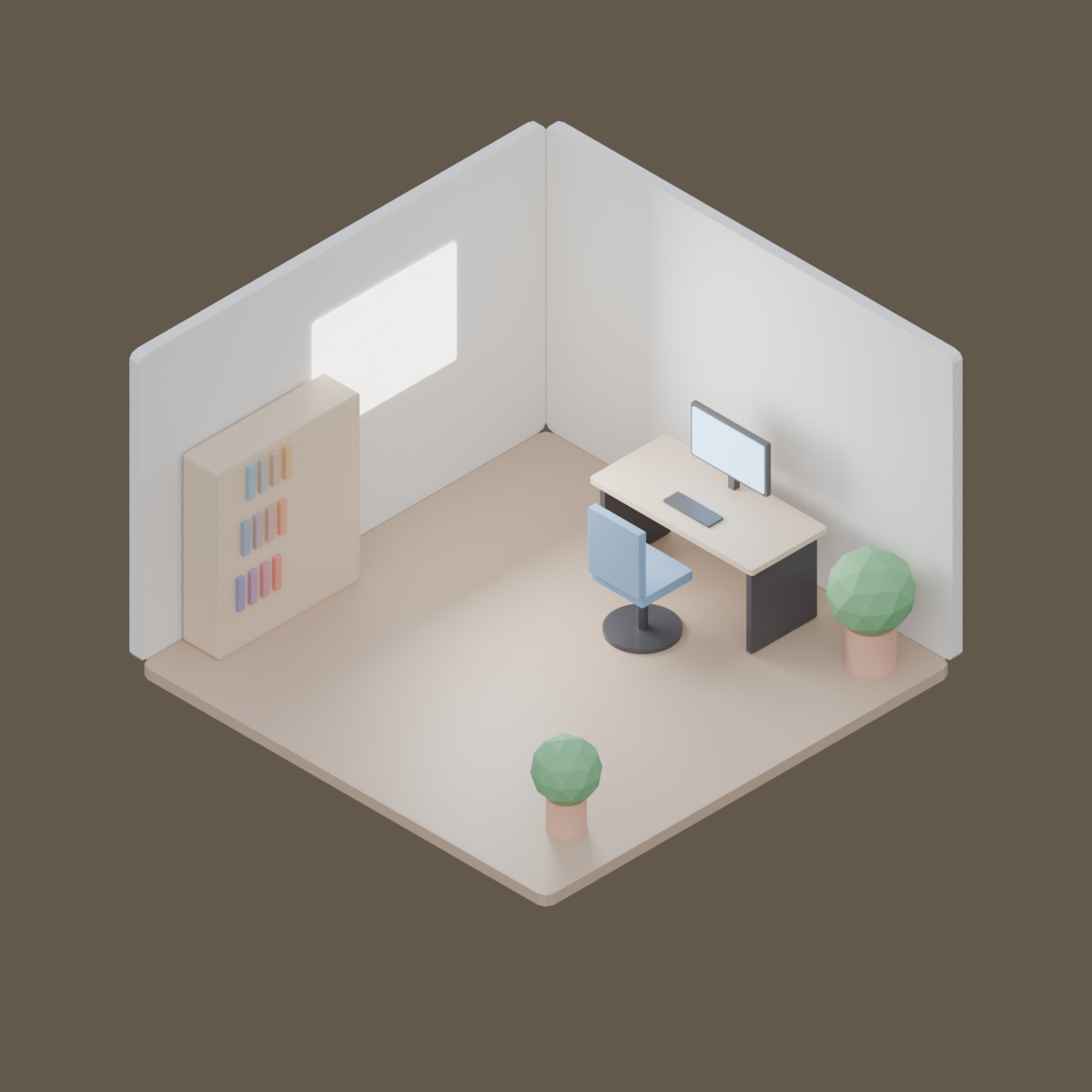
平行投影カメラのアイソメのオフィス。本番の GPU で描いた本物の結果と、そのまま動く bpy スクリプト、設定、GPU 秒。スクリプトの URL を scene_url に渡せば同じものが出ます。
| 頼んだ文 | https://render.janction.jp/samples/ex25_isometric_office.py を overcast プリセット、1200x1200、128 サンプルで描いて。 |
|---|---|
| MCP の呼び出し | render_final(scene_url="https://render.janction.jp/samples/ex25_isometric_office.py", frame_start=1, frame_end=1, samples=128, output="png", width=1200, height=1200, environment="overcast") |
| GPU 秒 / 往復 | 3.7 s / 4 s |
| 料金の目安(0.1 円/GPU 秒) | 0.4 JPY (無料の残りの中なら 0 円) |
| 描いた日 | 2026-10-23 |
| Blender | 5.0 |
ChatGPT · Claude · Grok · Perplexity
JANCTION Render(MCP サーバー https://render.janction.jp/mcp)で、この作例を描いて: render_preview(scene_url="https://render.janction.jp/samples/ex25_isometric_office.py")。そのあと、私の題材に合わせて色・形・カメラを変える案を出して。仕上げの前に確認して。
リンクを押すと、下の文が入った状態でそのアプリが開きます(入らないときは写して貼ってください)。そのアプリに JANCTION Render をまだつないでいなければ、先にコネクタとして https://render.janction.jp/mcp を足してください。
| frame_start | 1 |
|---|---|
| frame_end | 1 |
| samples | 128 |
| denoise | True |
| output | png |
| width | 1200 |
| height | 1200 |
| environment | overcast |
ex25_isometric_office.py。シーン・カメラ・コマ範囲だけを組み、解像度・サンプル・ノイズ除去・GPU はサービスが決めます。
"""JANCTION Render example 25: an isometric office corner with an orthographic camera (one still).

Reproduce: render_final(scene_url="https://render.janction.jp/samples/ex25_isometric_office.py",
                        width=1200, height=1200, samples=128, environment="overcast")
Two walls, a floor, a desk with a monitor, a chair, a shelf, plants and a bright window, all from cubes and
cylinders. The camera is orthographic at the classic isometric angles (54.7 and 45 degrees).
"""
import math

import bpy
from mathutils import Vector

for ob in list(bpy.data.objects):
    bpy.data.objects.remove(ob, do_unlink=True)
scene = bpy.context.scene
scene.frame_start = 1
scene.frame_end = 1


def material(name, color, roughness=0.6, emission=0.0):
    mat = bpy.data.materials.new(name)
    bsdf = mat.node_tree.nodes["Principled BSDF"]
    bsdf.inputs["Base Color"].default_value = (*color, 1.0)
    bsdf.inputs["Roughness"].default_value = roughness
    if emission:
        bsdf.inputs["Emission Color"].default_value = (*color, 1.0)
        bsdf.inputs["Emission Strength"].default_value = emission
    return mat


def box(name, size, location, mat, rotation=0.0):
    bpy.ops.mesh.primitive_cube_add(size=1, location=location)
    ob = bpy.context.active_object
    ob.name = name
    ob.scale = size
    ob.rotation_euler = (0, 0, rotation)
    ob.data.materials.append(mat)
    bev = ob.modifiers.new("Bevel", "BEVEL")
    bev.width = 0.02
    bev.segments = 2
    return ob


def cyl(name, radius, depth, location, mat, vertices=32):
    bpy.ops.mesh.primitive_cylinder_add(vertices=vertices, radius=radius, depth=depth, location=location)
    ob = bpy.context.active_object
    ob.name = name
    ob.data.materials.append(mat)
    return ob


wall = material("Wall", (0.86, 0.84, 0.8))
floor = material("Floor", (0.55, 0.4, 0.28), roughness=0.45)
wood = material("Desk", (0.72, 0.56, 0.4), roughness=0.4)
dark = material("Dark", (0.06, 0.06, 0.07), roughness=0.3)
screen = material("Screen", (0.35, 0.65, 1.0), emission=2.5)
fabric = material("Fabric", (0.2, 0.35, 0.55), roughness=0.8)
leaf = material("Leaf", (0.18, 0.45, 0.2), roughness=0.7)
pot = material("Pot", (0.75, 0.42, 0.3), roughness=0.5)
glow = material("Window", (1.0, 0.95, 0.85), emission=4.0)

box("Floor", (4, 4, 0.1), (0, 0, -0.05), floor)
box("WallBack", (4, 0.1, 2.6), (0, 2.05, 1.3), wall)
box("WallLeft", (0.1, 4, 2.6), (-2.05, 0, 1.3), wall)
box("Window", (0.02, 1.4, 1.0), (-1.99, 0.4, 1.55), glow)

box("DeskTop", (1.6, 0.75, 0.05), (0.2, 1.4, 0.75), wood)
for dx in (-0.72, 0.72):
    box("DeskLeg", (0.05, 0.65, 0.72), (0.2 + dx, 1.4, 0.37), dark)
box("Monitor", (0.75, 0.04, 0.45), (0.2, 1.62, 1.12), dark)
box("MonitorScreen", (0.7, 0.01, 0.4), (0.2, 1.595, 1.12), screen)
box("Stand", (0.06, 0.06, 0.2), (0.2, 1.65, 0.86), dark)
box("Keyboard", (0.45, 0.15, 0.02), (0.2, 1.25, 0.785), dark)

box("Seat", (0.5, 0.5, 0.08), (0.2, 0.75, 0.48), fabric)
box("Back", (0.5, 0.07, 0.55), (0.2, 0.5, 0.8), fabric)
cyl("ChairPost", 0.04, 0.42, (0.2, 0.75, 0.22), dark)
cyl("ChairBase", 0.28, 0.04, (0.2, 0.75, 0.02), dark)

box("Shelf", (0.35, 1.4, 1.6), (-1.8, -0.9, 0.8), wood)
for i, z in enumerate((0.35, 0.8, 1.25)):
    for j in range(4):
        box(f"Book{i}{j}", (0.22, 0.06, 0.28), (-1.7, -1.4 + j * 0.12 + i * 0.05, z + 0.14), material(f"Book{i}{j}", (0.3 + 0.15 * j, 0.25 + 0.1 * i, 0.5 - 0.1 * j)))

for k, (x, y, s) in enumerate(((1.6, 1.6, 1.0), (1.5, -1.3, 0.8))):
    cyl(f"Pot{k}", 0.18 * s, 0.35 * s, (x, y, 0.175 * s), pot)
    bpy.ops.mesh.primitive_ico_sphere_add(subdivisions=2, radius=0.32 * s, location=(x, y, 0.62 * s))
    bush = bpy.context.active_object
    bush.data.materials.append(leaf)

bpy.ops.object.light_add(type="AREA", location=(-1.0, 0.4, 1.6))
win = bpy.context.active_object
win.data.energy = 120
win.data.size = 1.2
win.rotation_euler = (0, math.radians(-90), 0)

# アイソメ: 部屋の中心から (1, -1, 1) の向きに離し、平行投影の幅を部屋の大きさに合わせる
center = Vector((0.0, 0.0, 1.0))
bpy.ops.object.camera_add(location=center + Vector((1.0, -1.0, 1.0)) * 12)
cam = bpy.context.active_object
cam.data.type = "ORTHO"
cam.data.ortho_scale = 7.6
cam.rotation_euler = (center - cam.location).to_track_quat("-Z", "Y").to_euler()
scene.camera = cam
JANCTION Render v0.4.209 · JasmyLab Inc. · 更新 2026-10-26 · 検証 Blender 3.6 / 4.2 / 4.5 / 5.0 / 5.2, JANCTION Render 0.4.209 · English