案内商品比較ファイルを送る事実料金実例実測稼働状況よくある質問変更履歴利用規約プライバシー特定商取引法に基づく表示安全性サポートギャラリーllms.txtEnglish
実例: 頼んだ文から結果まで
JANCTION Render で実際に描いた例を、頼んだ文・入力・設定・GPU 秒・料金の目安・結果の順に並べます。数字は実測と同じ本番の記録(2026-09-30 to 2026-10-01 UTC、NVIDIA RTX PRO 6000 Blackwell Max-Q Workstation Edition (96 GB))で、料金は予定単価 0.1 円/GPU 秒での換算です(ベータ中は 0 円)。そのまま貼れる文は各例の「頼んだ文」。もっと見るならギャラリー(利用者が公開した結果)。
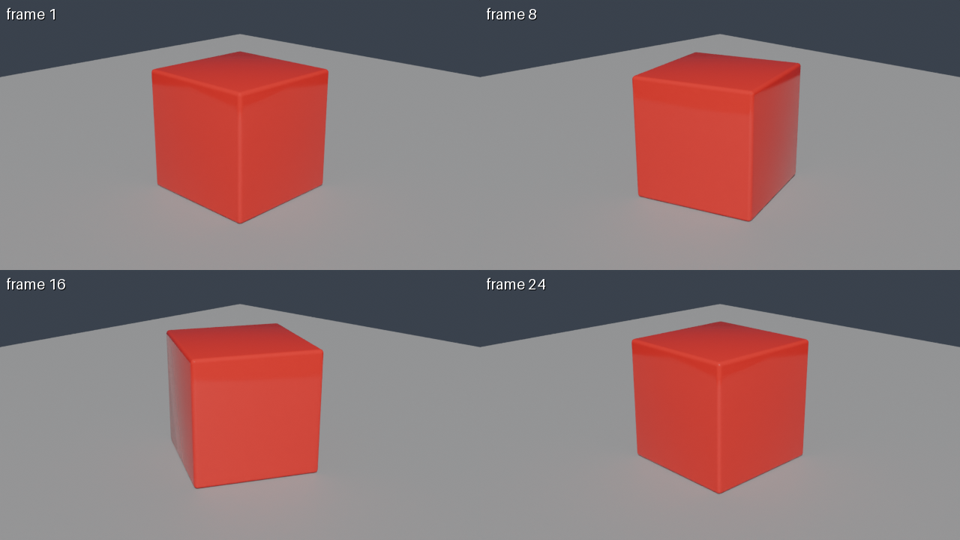
例 1: preview, bpy script (rotating cube)
| 頼んだ文 | Using JANCTION Render, build a glossy red cube rotating on a grey floor and show me a 4-frame preview. |
|---|
| 入力 | bpy script (rotating cube) |
|---|
| 設定 | 4 of 24 (tiled) frames, 640x360 tiles, 16 spp, scene lights |
|---|
| GPU 秒 / 往復 | 4.0 s / 8 s |
|---|
| 料金の目安(予定単価) | 0.4 JPY (ベータ中は 0 円) |
|---|
| 結果 | sheet.png |
|---|
| どこから | Claude.ai (remote MCP) |
|---|
例 2: final, bpy script (rotating cube)
| 頼んだ文 | Render 24 frames at 1280x720 as an MP4. |
|---|
| 入力 | bpy script (rotating cube) |
|---|
| 設定 | 24 frames, 1280x720, 64 spp, scene lights |
|---|
| GPU 秒 / 往復 | 58.7 s / 65 s |
|---|
| 料金の目安(予定単価) | 5.9 JPY (ベータ中は 0 円) |
|---|
| 結果 | output.mp4 (24 fps) |
|---|
| どこから | CLI / Claude.ai |
|---|
例 3: final, bpy script (rotating cube)
| 頼んだ文 | janction-render render cube_scene.py --frames 1-48 --size 1280x720 --samples 64 --wait |
|---|
| 入力 | bpy script (rotating cube) |
|---|
| 設定 | 48 frames, 1280x720, 64 spp, scene lights |
|---|
| GPU 秒 / 往復 | 117.3 s / 125 s |
|---|
| 料金の目安(予定単価) | 11.7 JPY (ベータ中は 0 円) |
|---|
| 結果 | output.mp4 |
|---|
| どこから | CLI |
|---|
例 4: final, bpy script (rotating cube)
| 頼んだ文 | Render the final 48 frames at 1080p with 128 samples. |
|---|
| 入力 | bpy script (rotating cube) |
|---|
| 設定 | 48 frames, 1920x1080, 128 spp, scene lights |
|---|
| GPU 秒 / 往復 | 322.3 s / 335 s |
|---|
| 料金の目安(予定単価) | 32.2 JPY (ベータ中は 0 円) |
|---|
| 結果 | output.mp4 |
|---|
| どこから | Claude Code (stdio MCP) |
|---|
例 5: preview, bpy script (monkey + floor)
| 頼んだ文 | Show me one preview frame at 960x540. |
|---|
| 入力 | bpy script (monkey + floor) |
|---|
| 設定 | 1 frames, 960x540, 16 spp, scene lights |
|---|
| GPU 秒 / 往復 | 2.4 s / 6 s |
|---|
| 料金の目安(予定単価) | 0.2 JPY (ベータ中は 0 円) |
|---|
| 結果 | frame_0001.png |
|---|
| どこから | Claude.ai |
|---|
例 6: preview, glTF file (hand-written pyramid) + assets
| 頼んだ文 | POST /v1/files pyramid.gltf, then POST /v1/jobs {kind: preview, environment: studio, environment_visible: false} |
|---|
| 入力 | glTF file (hand-written pyramid) + assets |
|---|
| 設定 | 1 frames, 640x360, 8 spp, studio (backdrop hidden) |
|---|
| GPU 秒 / 往復 | 1.8 s / 7 s |
|---|
| 料金の目安(予定単価) | 0.2 JPY (ベータ中は 0 円) |
|---|
| 結果 | frame_0001.png |
|---|
| どこから | HTTP API |
|---|
環境光プリセットの比較(environment=compare)
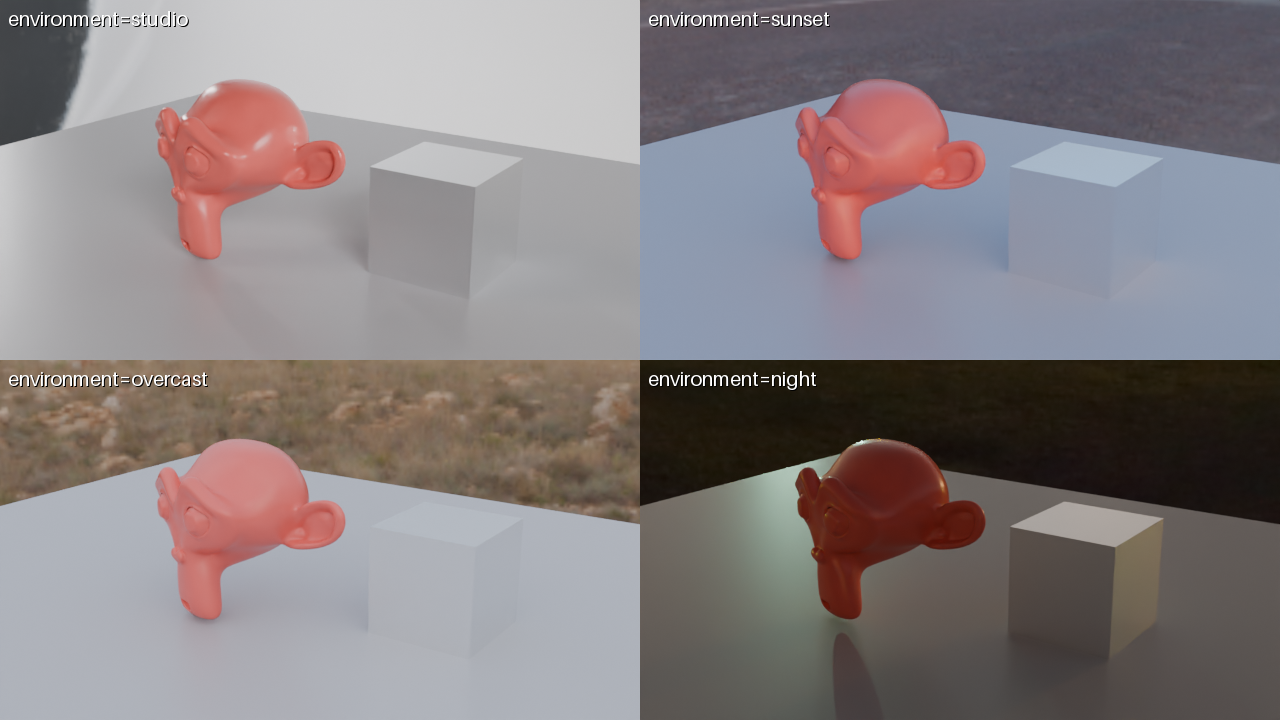 同じ bpy のシーン(サルと金属の立方体)を 4 つのプリセットで 1 枚に。試し描き 1 回で照明を選べます。
ターンテーブル(orbit=true)
48 コマ・960x540・24 サンプル・studio。GPU 76 秒。再現用の入力
cube_scene.py(回るキューブ)、polyhaven_room.py(CC0 素材の部屋)。エージェントには render_preview(scene_url="https://render.janction.jp/samples/cube_scene.py") を最初の 1 手として渡せます。
JANCTION Render v0.4.17 · JasmyLab Inc. · 更新 2026-10-05 · 検証 Blender 5.0, JANCTION Render 0.4.17 · English
案内商品比較ファイルを送る事実料金実例実測稼働状況よくある質問変更履歴利用規約プライバシー特定商取引法に基づく表示安全性サポートギャラリーllms.txtEnglish