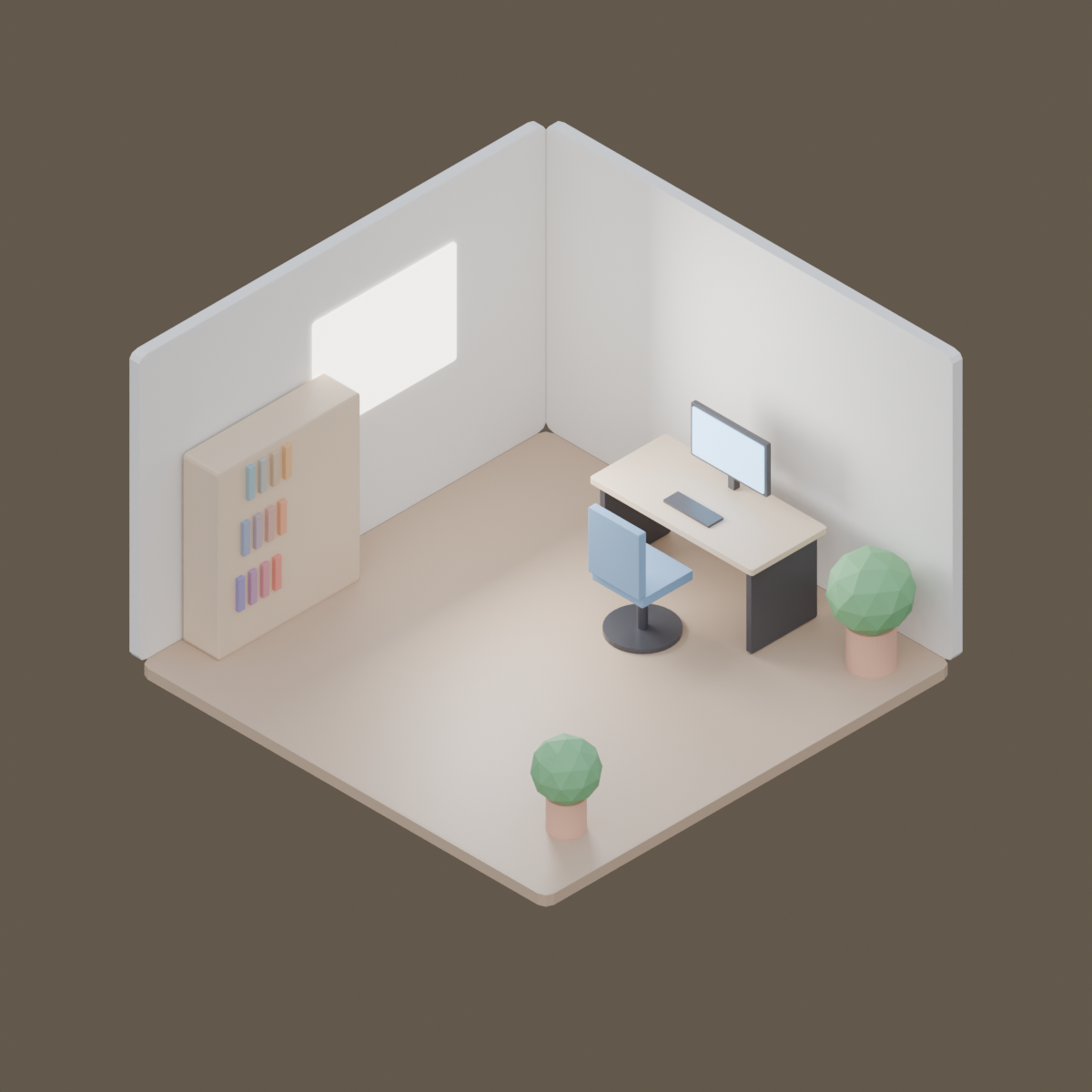
Render https://render.janction.jp/samples/ex25_isometric_office.py as a 1200x1200 still, 128 samples, overcast preset.
Reproducible JANCTION operator example. Source script and measured render settings are included; edit the script and render it again with your own key.
描いた経路: benchmark run → JANCTION Render
| 解像度 | 1200 x 1200 |
|---|---|
| コマ | 1 |
| サンプル | 128 |
| エンジン | Cycles / Blender 5.0 |
| 環境光 | overcast |
| GPU 時間 | 3.67 s (GPU/CUDA) |
ブラウザだけで、登録は要りません。最初の試し描きに支払いは要りません。
ブラウザだけで、登録は要りません。最初の試し描きに支払いは要りません。
"""JANCTION Render example 25: an isometric office corner with an orthographic camera (one still).

Reproduce: render_final(scene_url="https://render.janction.jp/samples/ex25_isometric_office.py",
                        width=1200, height=1200, samples=128, environment="overcast")
Two walls, a floor, a desk with a monitor, a chair, a shelf, plants and a bright window, all from cubes and
cylinders. The camera is orthographic at the classic isometric angles (54.7 and 45 degrees).
"""
import math

import bpy
from mathutils import Vector

for ob in list(bpy.data.objects):
    bpy.data.objects.remove(ob, do_unlink=True)
scene = bpy.context.scene
scene.frame_start = 1
scene.frame_end = 1


def material(name, color, roughness=0.6, emission=0.0):
    mat = bpy.data.materials.new(name)
    bsdf = mat.node_tree.nodes["Principled BSDF"]
    bsdf.inputs["Base Color"].default_value = (*color, 1.0)
    bsdf.inputs["Roughness"].default_value = roughness
    if emission:
        bsdf.inputs["Emission Color"].default_value = (*color, 1.0)
        bsdf.inputs["Emission Strength"].default_value = emission
    return mat


def box(name, size, location, mat, rotation=0.0):
    bpy.ops.mesh.primitive_cube_add(size=1, location=location)
    ob = bpy.context.active_object
    ob.name = name
    ob.scale = size
    ob.rotation_euler = (0, 0, rotation)
    ob.data.materials.append(mat)
    bev = ob.modifiers.new("Bevel", "BEVEL")
    bev.width = 0.02
    bev.segments = 2
    return ob


def cyl(name, radius, depth, location, mat, vertices=32):
    bpy.ops.mesh.primitive_cylinder_add(vertices=vertices, radius=radius, depth=depth, location=location)
    ob = bpy.context.active_object
    ob.name = name
    ob.data.materials.append(mat)
    return ob


wall = material("Wall", (0.86, 0.84, 0.8))
floor = material("Floor", (0.55, 0.4, 0.28), roughness=0.45)
wood = material("Desk", (0.72, 0.56, 0.4), roughness=0.4)
dark = material("Dark", (0.06, 0.06, 0.07), roughness=0.3)
screen = material("Screen", (0.35, 0.65, 1.0), emission=2.5)
fabric = material("Fabric", (0.2, 0.35, 0.55), roughness=0.8)
leaf = material("Leaf", (0.18, 0.45, 0.2), roughness=0.7)
pot = material("Pot", (0.75, 0.42, 0.3), roughness=0.5)
glow = material("Window", (1.0, 0.95, 0.85), emission=4.0)

box("Floor", (4, 4, 0.1), (0, 0, -0.05), floor)
box("WallBack", (4, 0.1, 2.6), (0, 2.05, 1.3), wall)
box("WallLeft", (0.1, 4, 2.6), (-2.05, 0, 1.3), wall)
box("Window", (0.02, 1.4, 1.0), (-1.99, 0.4, 1.55), glow)

box("DeskTop", (1.6, 0.75, 0.05), (0.2, 1.4, 0.75), wood)
for dx in (-0.72, 0.72):
    box("DeskLeg", (0.05, 0.65, 0.72), (0.2 + dx, 1.4, 0.37), dark)
box("Monitor", (0.75, 0.04, 0.45), (0.2, 1.62, 1.12), dark)
box("MonitorScreen", (0.7, 0.01, 0.4), (0.2, 1.595, 1.12), screen)
box("Stand", (0.06, 0.06, 0.2), (0.2, 1.65, 0.86), dark)
box("Keyboard", (0.45, 0.15, 0.02), (0.2, 1.25, 0.785), dark)

box("Seat", (0.5, 0.5, 0.08), (0.2, 0.75, 0.48), fabric)
box("Back", (0.5, 0.07, 0.55), (0.2, 0.5, 0.8), fabric)
cyl("ChairPost", 0.04, 0.42, (0.2, 0.75, 0.22), dark)
cyl("ChairBase", 0.28, 0.04, (0.2, 0.75, 0.02), dark)

box("Shelf", (0.35, 1.4, 1.6), (-1.8, -0.9, 0.8), wood)
for i, z in enumerate((0.35, 0.8, 1.25)):
    for j in range(4):
        box(f"Book{i}{j}", (0.22, 0.06, 0.28), (-1.7, -1.4 + j * 0.12 + i * 0.05, z + 0.14), material(f"Book{i}{j}", (0.3 + 0.15 * j, 0.25 + 0.1 * i, 0.5 - 0.1 * j)))

for k, (x, y, s) in enumerate(((1.6, 1.6, 1.0), (1.5, -1.3, 0.8))):
    cyl(f"Pot{k}", 0.18 * s, 0.35 * s, (x, y, 0.175 * s), pot)
    bpy.ops.mesh.primitive_ico_sphere_add(subdivisions=2, radius=0.32 * s, location=(x, y, 0.62 * s))
    bush = bpy.context.active_object
    bush.data.materials.append(leaf)

bpy.ops.object.light_add(type="AREA", location=(-1.0, 0.4, 1.6))
win = bpy.context.active_object
win.data.energy = 120
win.data.size = 1.2
win.rotation_euler = (0, math.radians(-90), 0)

# アイソメ: 部屋の中心から (1, -1, 1) の向きに離し、平行投影の幅を部屋の大きさに合わせる
center = Vector((0.0, 0.0, 1.0))
bpy.ops.object.camera_add(location=center + Vector((1.0, -1.0, 1.0)) * 12)
cam = bpy.context.active_object
cam.data.type = "ORTHO"
cam.data.ortho_scale = 7.6
cam.rotation_euler = (center - cam.location).to_track_quat("-Z", "Y").to_euler()
scene.camera = cam
ChatGPT · Claude · Grok · Perplexity
JANCTION Render(MCP サーバー https://render.janction.jp/mcp)で、これと同じような絵を作って: https://render.janction.jp/ja/r/dkwissh3rq 。何を変えたいか(自分のモデルやシーン、色、カメラ)を先に聞いて、まず試し描きし、仕上げの前に確認して。
リンクを押すと、下の文が入った状態でそのアプリが開きます(入らないときは写して貼ってください)。そのアプリに JANCTION Render をまだつないでいなければ、先にコネクタとして https://render.janction.jp/mcp を足してください。
この絵は JANCTION Render(AI エージェント向けの Blender レンダーファーム。新しい鍵は無料で始められる)で描かれました。自分の Blender ファイルや bpy スクリプトを描くには つなぎ方へ。AI アプリ(Claude.ai・ChatGPT・Cursor など)には MCP の URL https://render.janction.jp/mcp?src=share を足すだけです。問題のある内容は サポートへ。
描き上がった結果は、頼んだとおりでしたか?
ここに載っている作品の作者には、公開のお礼としてジャスミーラボから GPU クレジットを渡していることがあります。額は内容で変わらず、投稿に手は入れません。
JANCTION Render v0.4.209 · JasmyLab Inc. · 更新 2026-10-26 · 検証 Blender 3.6 / 4.2 / 4.5 / 5.0 / 5.2, JANCTION Render 0.4.209 · English