Updated 2026-10-02
You can render Blender without a GPU by using the CPU (slow), a free notebook GPU (fiddly), a volunteer farm (queue), a commercial render farm (paid), or JANCTION Render: send the .blend, bpy script or 3D file and a datacenter NVIDIA GPU renders it. The last one is free during the beta (10 GPU-minutes per day) and works from Claude, ChatGPT, Codex and the command line.
| option | cost | speed | setup | works from an AI agent |
|---|---|---|---|---|
| CPU rendering on your own machine | free | minutes per frame for Cycles; fine for Eevee stills | none | only with a local Blender |
| Free notebook GPUs (Colab and similar) | free with limits | GPU speed when you get one | install Blender every session, move files by hand | no |
| SheepIt (volunteer farm) | free, earn points by rendering for others | depends on the queue | upload through the site | no API |
| Commercial render farms | paid per GPU-hour or credits; some trial credits | fast, many GPUs | add-on or web upload | rarely (one offers an MCP, see the comparison) |
| JANCTION Render | free beta, 10 GPU-minutes per day | datacenter NVIDIA GPU; 4-frame preview in 4 s | add a connector or pip install | yes: MCP tools and HTTP API |
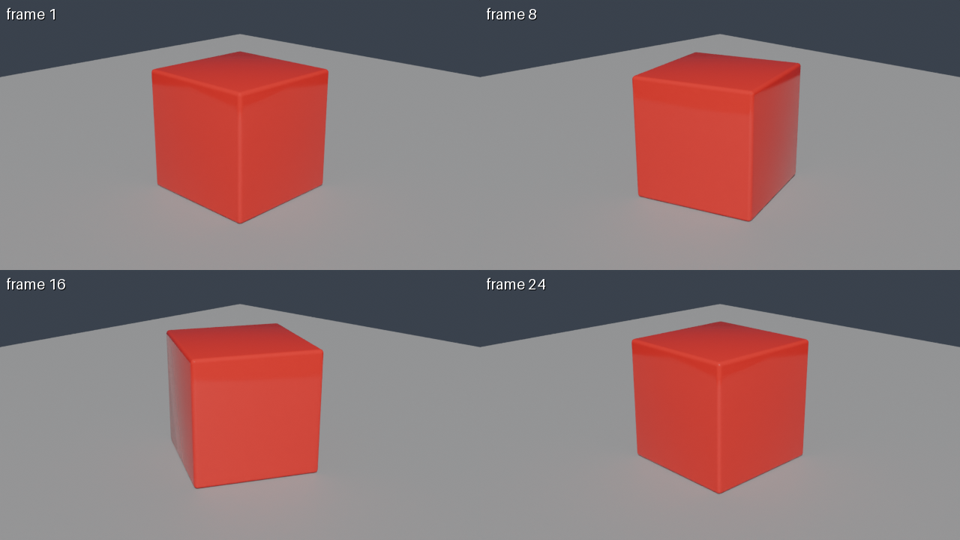
Turntable. orbit=true makes a camera circle the scene once (default 24 frames): a preview shows four angles, a final render gives the whole turn as an MP4. Handy for an imported model.
render_final(orbit=true) from a bpy script: 76 GPU seconds on JANCTION Render, 2026-10-02.Inputs: a .blend (send external images along, or pack them: File → External Data → Pack Resources), a bpy Python script
(no local Blender needed; set the scene, camera and frame range only, the service sets engine, resolution and samples), or a
3D file (glTF/GLB, FBX, USD, OBJ, STL, PLY, Alembic, imported into an empty scene). A scene without a camera or light gets an automatic
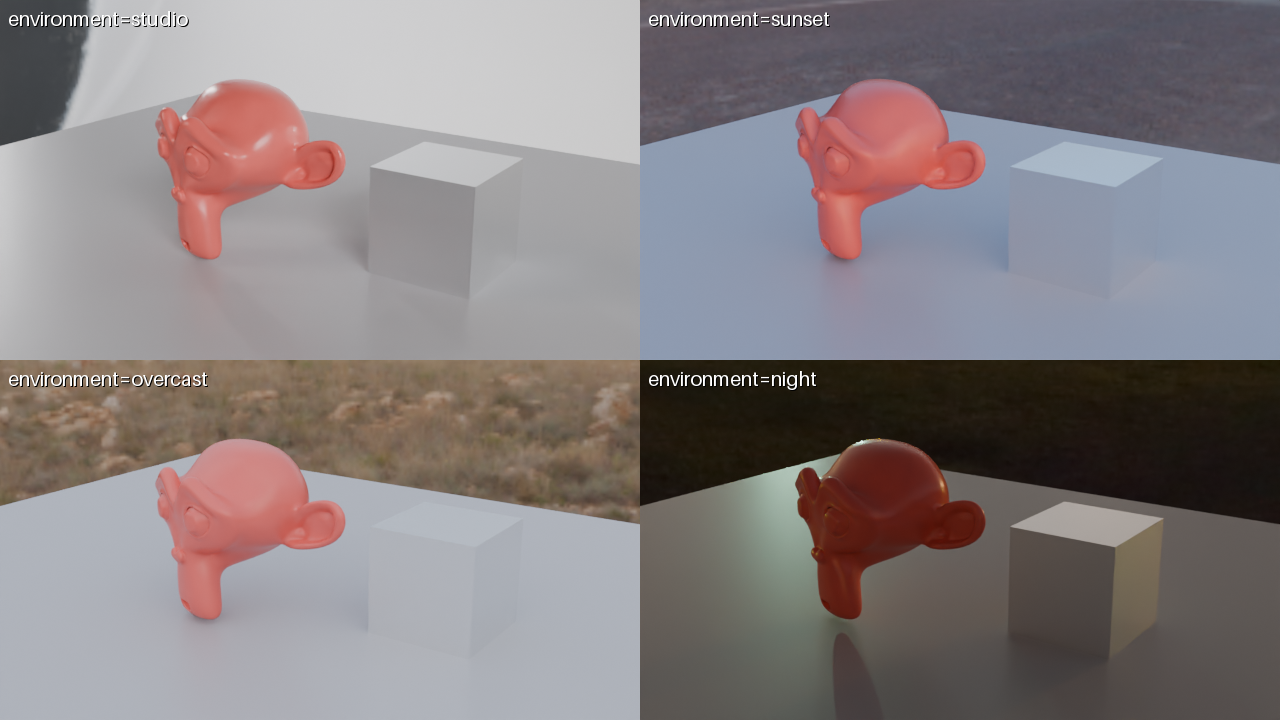
one and the response says so under warnings. environment = studio / sunset / overcast / night lights the scene with a bundled HDRI; a preview with environment="compare" shows the same frame under all four presets in one labelled image.
| from | how |
|---|---|
| Claude.ai (web / desktop / mobile) | Settings → Connectors → Add custom connector → https://render.janction.jp/mcp. "Connect" opens a page that creates a free key |
| ChatGPT | Settings → Connectors → Advanced → Developer mode → Create → https://render.janction.jp/mcp (OAuth) |
| Claude Code | claude mcp add --transport http janction-render https://render.janction.jp/mcp, then /mcp to authenticate |
| Codex | codex mcp add janction-render --url https://render.janction.jp/mcp |
| Cursor and other MCP clients | Streamable HTTP at https://render.janction.jp/mcp; OAuth or Authorization: Bearer <api key> |
| Terminal (stdio, sends local files) | claude mcp add janction-render -e JANCTION_RENDER_SERVER=https://render.janction.jp -- uvx --from janction-render janction-render-mcp |
Using JANCTION Render, build a glossy red cube rotating on a grey floor and show me a 4-frame preview.
If it looks right, render 24 frames at 1280x720 as an MP4.
| job | GPU time | note |
|---|---|---|
| preview, 4 frames (720p split in 4 tiles, 16 samples, denoised) | about 4 s | round trip about 8 s; the image comes back inline |
| final, 24 frames at 1280x720, 64 samples → MP4 | about 60 s | measured 2026-09-30 / 10-01 (59 s and 58 s) |
| final, one 1920x1080 frame at 128 samples | about 11 s | the estimator's baseline; heavy scenes take longer |
render_estimate gives the number before rendering; once a scene has been rendered once, the estimate uses that scene's own measurement.
Free beta (as of 2026-10-02): 10 GPU-minutes per key per day (20 per network), final renders up to 240 frames at 1080p. No sign-up: connecting creates a key. Inputs and results are deleted 24 hours after last use and never used for training. Paid plans will be announced on this site and in llms.txt before they start.
Locally, Cycles uses Metal on Apple silicon but is slow on older Macs; with JANCTION Render the render runs on an NVIDIA GPU in a datacenter and the Mac only sends the scene.
No, JANCTION Render renders with Cycles (GPU). Eevee is fast enough locally for most stills.
A 24-frame 720p clip at 64 samples uses about one GPU-minute, so the daily quota covers roughly 8-10 such clips, or 240 frames of a light scene.
JANCTION Render v0.3.2 · JasmyLab Inc. · 日本語