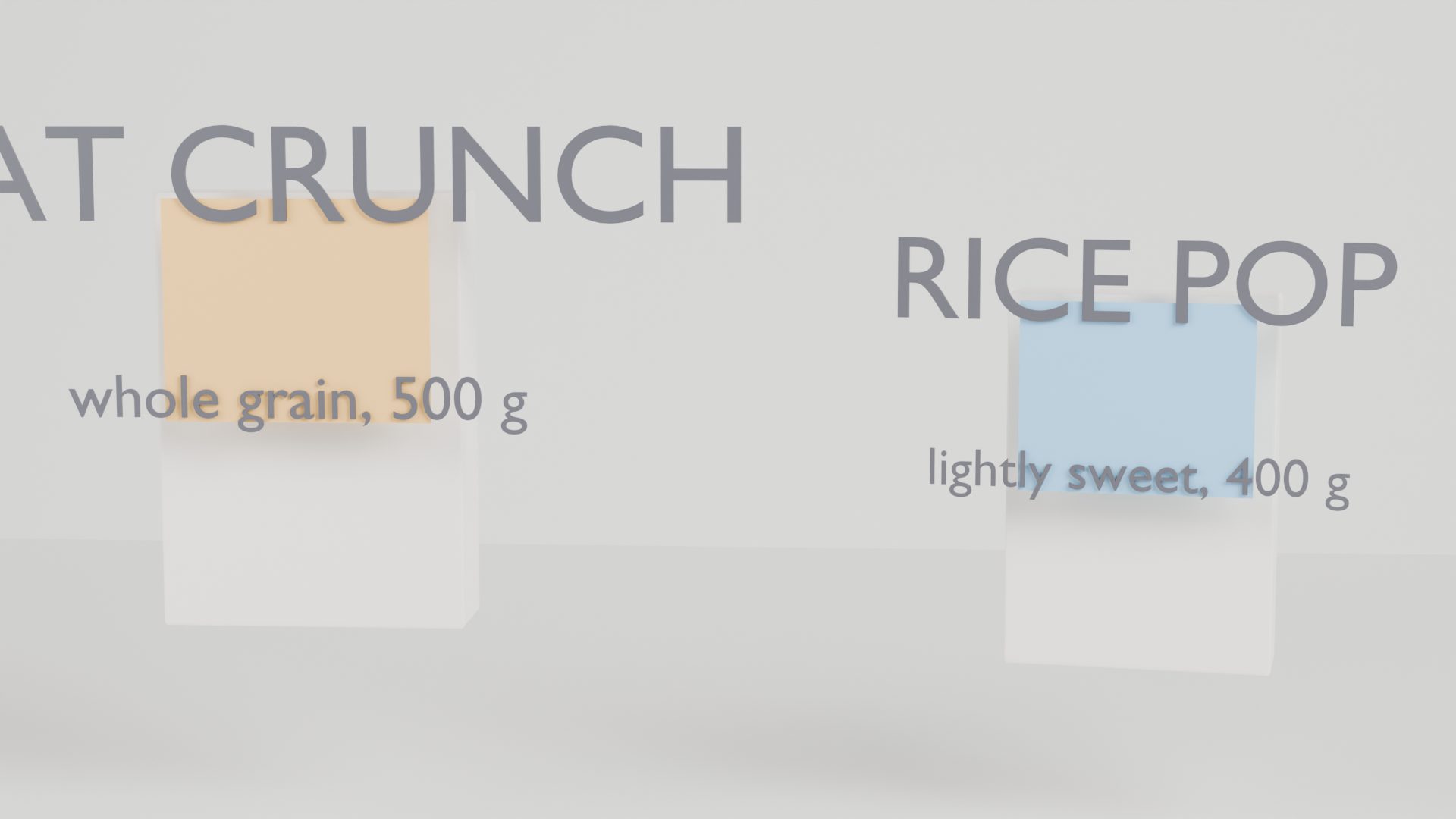
Packaging: two product boxes with printed panels and text. A real render from the production GPU, the bpy script that produced it, the settings and the GPU seconds. Pass the script's URL as scene_url to get the same result.
| Prompt | Render https://render.janction.jp/samples/ex20_packaging_box.py at 1920x1080, 128 samples, studio preset (edit the strings for your product name). |
|---|---|
| MCP call | render_final(scene_url="https://render.janction.jp/samples/ex20_packaging_box.py", frame_start=1, frame_end=1, samples=128, output="png", width=1920, height=1080, environment="studio") |
| GPU s / round trip | 7.0 s / 8 s |
| Price at the planned rate | 0.7 JPY (charged 0 during the beta) |
| Rendered on | 2026-10-08 |
| Blender | 5.0 |
| frame_start | 1 |
|---|---|
| frame_end | 1 |
| samples | 128 |
| denoise | True |
| output | png |
| width | 1920 |
| height | 1080 |
| environment | studio |
ex20_packaging_box.py. It builds the scene, the camera and the frame range; resolution, samples, denoising and the GPU are set by the service.
"""JANCTION Render example 20: two cardboard product boxes with printed panels and text (packaging shot, one still).

Reproduce: render_final(scene_url="https://render.janction.jp/samples/ex20_packaging_box.py",
                        width=1920, height=1080, samples=128, environment="studio")
Boxes are bevelled cubes; the print is a thin coloured slab plus extruded text sitting just in front of the face.
Edit the strings to put your own product name on the box.
"""
import math
import random

import bpy
from mathutils import Vector

for ob in list(bpy.data.objects):
    bpy.data.objects.remove(ob, do_unlink=True)
scene = bpy.context.scene
scene.frame_start = 1
scene.frame_end = 1
scene.render.fps = 24
random.seed(20)


def material(name, color, roughness=0.5, metallic=0.0, **inputs):
    mat = bpy.data.materials.new(name)
    mat.use_nodes = True
    bsdf = mat.node_tree.nodes["Principled BSDF"]
    bsdf.inputs["Base Color"].default_value = (*color, 1.0)
    bsdf.inputs["Roughness"].default_value = roughness
    bsdf.inputs["Metallic"].default_value = metallic
    for key, value in inputs.items():
        bsdf.inputs[key].default_value = value
    return mat


def smooth(ob):
    for p in ob.data.polygons:
        p.use_smooth = True
    return ob


def add(op, name, mat=None, **kw):
    getattr(bpy.ops.mesh, op)(**kw)
    ob = bpy.context.object
    ob.name = name
    if mat is not None:
        ob.data.materials.append(mat)
    return ob


def text(body, name, mat, location, size=1.0, extrude=0.02, rotation=(math.pi / 2, 0, 0), align="CENTER"):
    cu = bpy.data.curves.new(name, type="FONT")
    cu.body = body
    cu.size = size
    cu.extrude = extrude
    cu.align_x = align
    ob = bpy.data.objects.new(name, cu)
    scene.collection.objects.link(ob)
    ob.location = location
    ob.rotation_euler = rotation
    ob.data.materials.append(mat)
    return ob


def look_at(ob, target):
    ob.rotation_euler = (Vector(target) - ob.location).to_track_quat("-Z", "Y").to_euler()


def camera(location, target, lens=50.0, name="Camera", active=True, fstop=None, focus=None):
    data = bpy.data.cameras.new(name)
    data.lens = lens
    if fstop is not None:
        data.dof.use_dof = True
        data.dof.aperture_fstop = fstop
        data.dof.focus_distance = focus if focus is not None else (Vector(target) - Vector(location)).length
    cam = bpy.data.objects.new(name, data)
    scene.collection.objects.link(cam)
    cam.location = location
    look_at(cam, target)
    if active:
        scene.camera = cam
    return cam


def light(name, kind, location, energy, target=None, size=1.0, color=(1.0, 1.0, 1.0)):
    data = bpy.data.lights.new(name, kind)
    data.energy = energy
    data.color = color
    if kind == "AREA":
        data.size = size
    ob = bpy.data.objects.new(name, data)
    scene.collection.objects.link(ob)
    ob.location = location
    if target is not None:
        look_at(ob, target)
    return ob


def world(color=(0.02, 0.02, 0.03), strength=1.0):
    w = bpy.data.worlds.new("World")
    w.use_nodes = True
    bg = w.node_tree.nodes["Background"]
    bg.inputs[0].default_value = (*color, 1.0)
    bg.inputs[1].default_value = strength
    scene.world = w
    return w

card = material("Card", (0.93, 0.9, 0.84), roughness=0.75)
floor = material("Floor", (0.86, 0.86, 0.84), roughness=0.35)
wall = material("Wall", (0.92, 0.92, 0.9), roughness=0.8)
ink = material("Ink", (0.08, 0.08, 0.1), roughness=0.5)
add("primitive_plane_add", "Floor", floor, size=24)
back = add("primitive_plane_add", "Backdrop", wall, size=24, location=(0, 4, 6))
back.rotation_euler = (math.pi / 2, 0, 0)


def box(x, w, d, h, color, name, title, sub, yaw=0.0):
    pivot = bpy.data.objects.new(f"Box_{name}", None)
    scene.collection.objects.link(pivot)
    pivot.location = (x, 0, 0)
    pivot.rotation_euler = (0, 0, yaw)
    b = add("primitive_cube_add", f"Body_{name}", card, size=1, location=(0, 0, h / 2))
    b.scale = (w / 2, d / 2, h / 2)
    bev = b.modifiers.new("Bevel", "BEVEL")
    bev.width = 0.012
    bev.segments = 4
    panel = material(f"Print_{name}", color, roughness=0.5)
    p = add("primitive_cube_add", f"Panel_{name}", panel, size=1, location=(0, -d / 2 - 0.004, h * 0.62))
    p.scale = (w / 2 * 0.86, 0.004, h / 2 * 0.5)
    t1 = text(title, f"Title_{name}", ink, (0, -d / 2 - 0.012, h * 0.72), size=w * 0.22, extrude=0.004)
    t2 = text(sub, f"Sub_{name}", ink, (0, -d / 2 - 0.012, h * 0.5), size=w * 0.1, extrude=0.003)
    for ob in (b, p, t1, t2):
        ob.parent = pivot
    return pivot


box(-0.95, 1.4, 0.45, 2.0, (0.95, 0.55, 0.15), "A", "OAT CRUNCH", "whole grain, 500 g")
box(0.95, 1.2, 0.4, 1.7, (0.25, 0.55, 0.85), "B", "RICE POP", "lightly sweet, 400 g", yaw=-0.18)
light("Key", "AREA", (3.0, -3.5, 4.0), 400, target=(0, 0, 1.0), size=2.5)
light("Fill", "AREA", (-3.5, -2.0, 2.5), 150, target=(0, 0, 1.0), size=3.0)
camera((0.4, -6.0, 1.7), (0.0, 0.0, 1.0), lens=65)
JANCTION Render v0.4.21 · JasmyLab Inc. · Updated 2026-10-07 · Tested with Blender 5.0, JANCTION Render 0.4.21 · 日本語