Updated 2026-10-02
Truly free Blender cloud rendering today means SheepIt (volunteer farm, you render for others), a free notebook GPU (limited, manual), or JANCTION Render's free beta: 10 GPU-minutes per key per day on datacenter NVIDIA GPUs, no sign-up, no card, callable from Claude, ChatGPT, Codex, Cursor or curl. Commercial farms give trial credits, then charge.
| service | free part | catch |
|---|---|---|
| SheepIt | everything | you earn render time by rendering other people's projects; queue; no API |
| Google Colab and other notebooks | some GPU time on the free tier | limits change, sessions end, you install Blender and move files yourself |
| Commercial render farms | trial credits on sign-up (amounts vary) | then paid per GPU-hour; account and add-on required |
| JANCTION Render | 10 GPU-minutes per key per day, up to 240 frames at 1080p per job | beta: no availability guarantee; paid plans will be announced before they start |
Figures as of 2026-10-02; check each service's site for current terms.
Real measured times by resolution, frame count and samples: benchmarks. Colab in detail: Google Colab vs JANCTION Render.
| job | GPU time | note |
|---|---|---|
| preview, 4 frames (720p split in 4 tiles, 16 samples, denoised) | about 4 s | round trip about 8 s; the image comes back inline |
| final, 24 frames at 1280x720, 64 samples → MP4 | about 60 s | measured 2026-09-30 / 10-01 (59 s and 58 s) |
| final, one 1920x1080 frame at 128 samples | about 11 s | the estimator's baseline; heavy scenes take longer |
render_estimate gives the number before rendering; once a scene has been rendered once, the estimate uses that scene's own measurement.
In practice: a few previews and one or two short 720p clips a day, or one 1080p still at high samples. The quota resets at 00:00 UTC.
There is no sign-up form. Connecting from Claude.ai or ChatGPT creates a key on a consent page; the command line and the HTTP API get one from POST /v1/keys.
| from | how |
|---|---|
| Claude.ai (web / desktop / mobile) | Settings → Connectors → Add custom connector → https://render.janction.jp/mcp. "Connect" opens a page that creates a free key |
| ChatGPT | Settings → Connectors → Advanced → Developer mode → Create → https://render.janction.jp/mcp (OAuth) |
| Claude Code | claude mcp add --transport http janction-render https://render.janction.jp/mcp, then /mcp to authenticate |
| Codex | codex mcp add janction-render --url https://render.janction.jp/mcp |
| Cursor and other MCP clients | Streamable HTTP at https://render.janction.jp/mcp; OAuth or Authorization: Bearer <api key> |
| Terminal (stdio, sends local files) | claude mcp add janction-render -e JANCTION_RENDER_SERVER=https://render.janction.jp -- uvx --from janction-render janction-render-mcp |
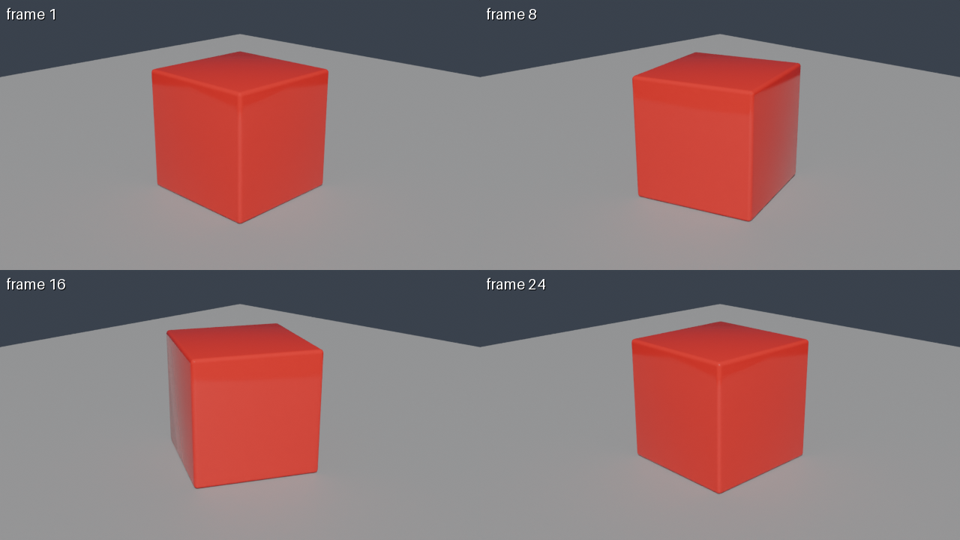
Using JANCTION Render, build a glossy red cube rotating on a grey floor and show me a 4-frame preview.
If it looks right, render 24 frames at 1280x720 as an MP4.
Turntable. orbit=true makes a camera circle the scene once (default 24 frames): a preview shows four angles, a final render gives the whole turn as an MP4. Handy for an imported model.
render_final(orbit=true) from a bpy script: 76 GPU seconds on JANCTION Render, 2026-10-02.Inputs: a .blend (send external images along, or pack them: File → External Data → Pack Resources), a bpy Python script
(no local Blender needed; set the scene, camera and frame range only, the service sets engine, resolution and samples), or a
3D file (glTF/GLB, FBX, USD, OBJ, STL, PLY, Alembic, imported into an empty scene). A scene without a camera or light gets an automatic
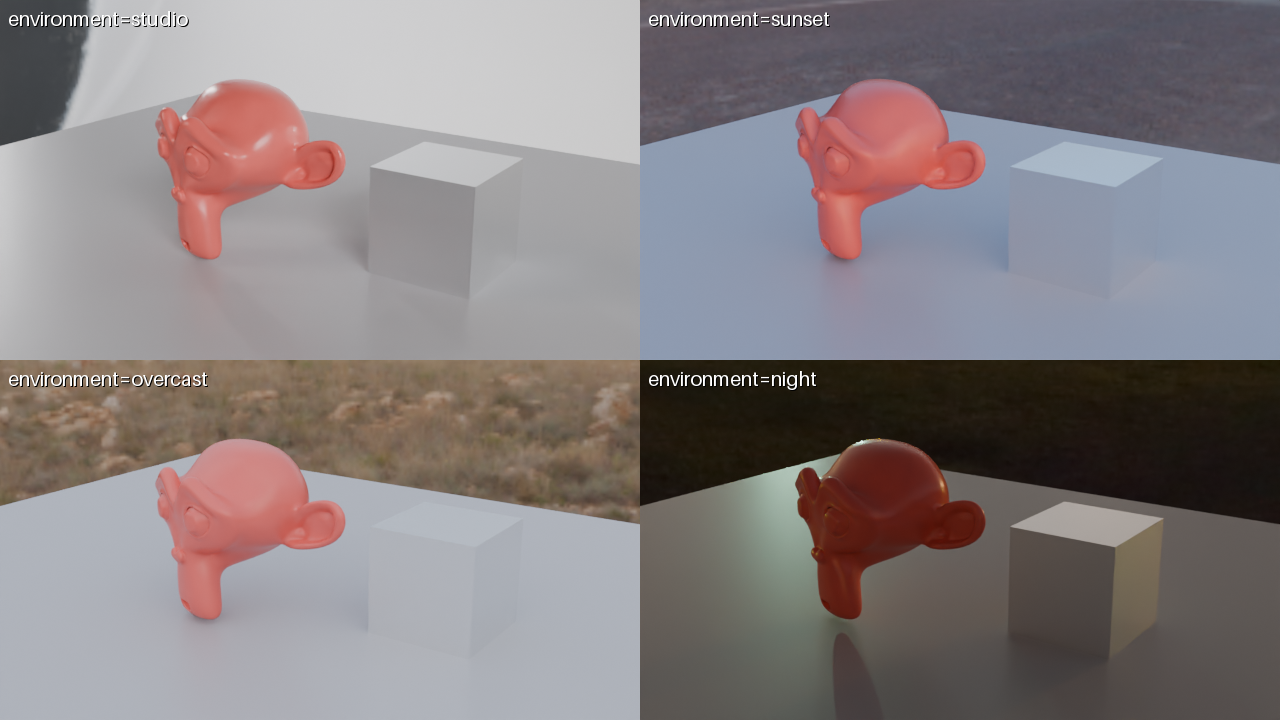
one and the response says so under warnings. environment = studio / sunset / overcast / night lights the scene with a bundled HDRI; a preview with environment="compare" shows the same frame under all four presets in one labelled image.
Free beta (as of 2026-10-02): 10 GPU-minutes per key per day (20 per network), final renders up to 240 frames at 1080p. No sign-up: connecting creates a key. Inputs and results are deleted 24 hours after last use and never used for training. Paid plans will be announced on this site and in llms.txt before they start.
Paid plans are planned, but the free beta stays until they are announced on this site and in llms.txt. The announcement comes before any charge.
To stop one person from creating many keys. Each key gets 10 GPU-minutes; the same network gets 20 in total per day.
The API answers 429 quota_exceeded with resets_at; the agent tells you when it resets, or proposes a smaller job (fewer frames, lower samples).
JANCTION Render v0.3.2 · JasmyLab Inc. · 日本語