Updated 2026-10-02
JANCTION Render runs your bpy script inside Blender 5.0 on a JANCTION GPU and renders the result. Send the script as text (scene_script in MCP) or as a .py file (CLI / HTTP). The script only builds the scene, camera and frame range; the service sets Cycles, resolution and samples. No local Blender needed. Free beta.
import bpy, math
for ob in list(bpy.data.objects):
    bpy.data.objects.remove(ob, do_unlink=True)
scene = bpy.context.scene
scene.frame_start, scene.frame_end = 1, 24
bpy.ops.mesh.primitive_monkey_add(location=(0, 0, 1))
cam = bpy.data.objects.new("Camera", bpy.data.cameras.new("Camera"))
scene.collection.objects.link(cam); scene.camera = cam
cam.location = (6, -6, 4); cam.rotation_euler = (math.radians(60), 0, math.radians(45))
sun = bpy.data.objects.new("Sun", bpy.data.lights.new("Sun", "SUN"))
scene.collection.objects.link(sun)
scene.camera; add a light or pass environment='studio'. If both are missing the service adds an automatic camera and sun and says so in warnings.frame_start / frame_end; animate with obj.keyframe_insert("rotation_euler", frame=n). obj.animation_data.action.fcurves was removed in 5.0; for linear motion set bpy.context.preferences.edit.keyframe_new_interpolation_type = 'LINEAR' first.mat.use_nodes (always on); build materials through mat.node_tree.bpy.ops.render.render or change render settings; do not read the network (the sandbox has none).os.environ["JR_ASSETS_DIR"] to find them.# command line pip install janction-render export JANCTION_RENDER_SERVER=https://render.janction.jp janction-render preview scene.py --frames 1-24 janction-render render scene.py --frames 1-24 --size 1280x720 --samples 64 --wait # HTTP curl -X POST https://render.janction.jp/v1/files -H "X-API-Key: $K" -F [email protected]
From an agent, the script is passed as the scene_script argument of render_preview / render_final; the returned scene_id avoids re-sending it.
| from | how |
|---|---|
| Claude.ai (web / desktop / mobile) | Settings → Connectors → Add custom connector → https://render.janction.jp/mcp. "Connect" opens a page that creates a free key |
| ChatGPT | Settings → Connectors → Advanced → Developer mode → Create → https://render.janction.jp/mcp (OAuth) |
| Claude Code | claude mcp add --transport http janction-render https://render.janction.jp/mcp, then /mcp to authenticate |
| Codex | codex mcp add janction-render --url https://render.janction.jp/mcp |
| Cursor and other MCP clients | Streamable HTTP at https://render.janction.jp/mcp; OAuth or Authorization: Bearer <api key> |
| Terminal (stdio, sends local files) | claude mcp add janction-render -e JANCTION_RENDER_SERVER=https://render.janction.jp -- uvx --from janction-render janction-render-mcp |
The script runs with --factory-startup inside a disposable container (no network, non-root, time limit) on one GPU, then the service applies the render settings and renders the requested frames. Warnings and the log tail come back with the job.
| job | GPU time | note |
|---|---|---|
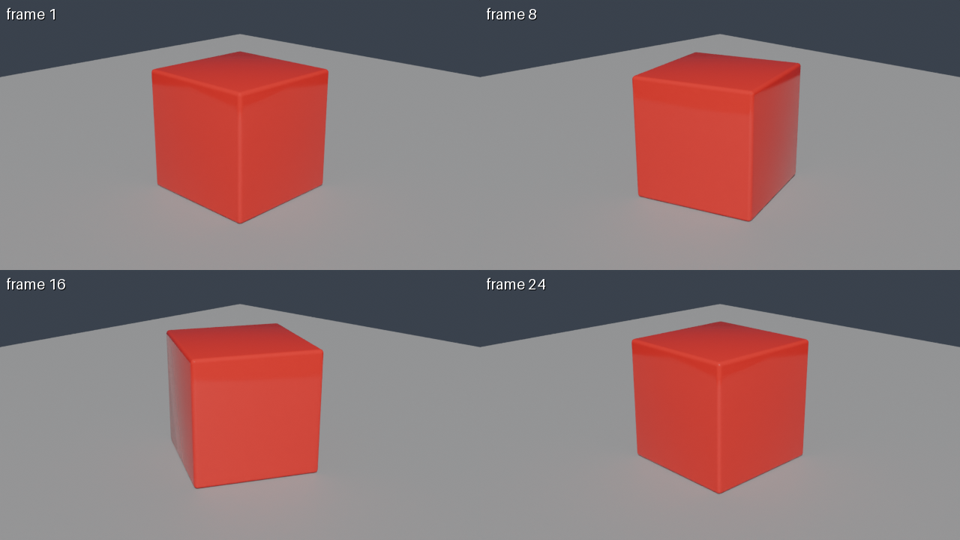
| preview, 4 frames (720p split in 4 tiles, 16 samples, denoised) | about 4 s | round trip about 8 s; the image comes back inline |
| final, 24 frames at 1280x720, 64 samples → MP4 | about 60 s | measured 2026-09-30 / 10-01 (59 s and 58 s) |
| final, one 1920x1080 frame at 128 samples | about 11 s | the estimator's baseline; heavy scenes take longer |
render_estimate gives the number before rendering; once a scene has been rendered once, the estimate uses that scene's own measurement.
Free beta (as of 2026-10-02): 10 GPU-minutes per key per day (20 per network), final renders up to 240 frames at 1080p. No sign-up: connecting creates a key. Inputs and results are deleted 24 hours after last use and never used for training. Paid plans will be announced on this site and in llms.txt before they start.
Blender 5.0's bundled Python (3.11) with bpy, mathutils and the standard library. No pip installs, no network.
Only files you sent as assets, through JR_ASSETS_DIR. To render an existing .blend, send the .blend itself instead of a script.
The service sets Cycles with its own resolution, samples and denoising. Materials, lights, world and camera come from your script; if a world or light is missing, defaults are added and reported in warnings.
JANCTION Render v0.3.2 · JasmyLab Inc. · 日本語